Friday, May 6, 2011

Storybird

Storybird:  collaborative storytelling

Features:
  • Free class account: 
  • No student emails required (change student passwords if they forget theirs) 
  • Safe, secure, and private (set privacy levels) 
  • No chat feature
  • No personal profiles
  • Unlimited classes (manage from one dashboard if required)
  • generate thematic libraries that can be shared with parents or other schools
"Storybird reverses the process of visual storytelling by starting with the image and "unlocking" the story inside.  Choose an artist or a theme, get inspired, and start writing." 

There are many, many pictures from which to choose as noted on the sides of this graphic.  Students choose their image from a fantastic gallery as a starting point for a story. 

Tuesday, May 3, 2011

Prezi: Take Presentations to a New Level

Prezi is a free, web-based program for students and teachers who are looking for a different way to present multimedia content.  While it is not likely that you would use this everytime, variety can be a welcome change to using Notebook, PowerPoint or Glogster.  Give your students many options to challenge their creativity.  Teachers and/or students (>13 years) can create accounts.  For younger grades, teachers may want to consider setting up an account that their students can use.  5 Reasons to Use Prezi


Prezi is also called the Zooming Presentation Editor.  It is a user-friendly web tool and requires a free account setup.  While the presentation is constructed on only one slide canvas, you can set the presentation pathway to showcase your points in a particular order.  You can add video, flash (flv/swf) animation, pictures and text. You can also import existing Powerpoint presentations into Prezi.   Instructional technology coaches can help you and your class become familiar with this tool.

On the website, there are many tutorial videos if you would like to learn this program on your own.  Learn Prezi

Wednesday, April 20, 2011

Chicks are Hatching!

Rendell Park was home to 7 hatching chicks!  Check out the saved videos on the Ustream website.(Search:  Rendell Park).  The chicks were a few days overdue, but very welcome.  Many students had a field trip to this classroom to check out the live action.  Congratulations to all the work done by Mrs. D. Miller, Farmer Al, and her grade 2 classroom!

Archived videos of Wed. hatching are posted on the Ustream site
Update:  Thursday April 21  12:00 pm
Newest Arrival!


Class watching the hatching on the SMARTBoard


Update: (5:50 pm Wed).  He/she is out!  After a great struggle for about an hour, the chick is out and resting comfortably.


1:45 pm Wed April 20, 2011
Update (1:45 pm Wed):  There are 4 eggs that are now showing in the live stream.  #3 is the furthest along on the left but the others are catching up.  One of the other eggs just started breaking out of the shell at 1:00 pm.  At 5:00 pm, quite a bit of progress has been made as a huge crack is opened up.  Shouldn't be too much longer!


Day old chicks in the classroom:


Saturday, April 16, 2011

TimeGlider: Construction of Timelines in History

TimeGlider
This is web-based timeline software for creating and viewing history timelines as well as for project planning.  It requires a free sign up if you would like to create your own timelines.  This would be a useful presentation tool for teaching a historical sequence of events.  Students can also generate their own timelines which would incorporate research and writing skills.


Timeline events can contain text and pictures and you can change the size of the event to highlight its importance.  It is very easy to manipulate the timeline by using a slider (zoom in=less time shown, zoom out=more time shown).  Unfortunately, there are only a few examples given on the website: Wright Brothers, World War I, The CIA Leak Case and the History of Idaho (kind of random...go figure...).  Timelines you create are not public and are only shared between people by using a unique URL.
How it Works (overview)


TimeGliders New York Times Explorer: Search by keyword and/or author search from the New York Times in any time period between January 1, 1981 and the present.  Displayed will be the most relevant 200 articles.  Instructions are given next to the search box to provide the best keyword search possible.  For example, if searching for salmon farming, it would be best to use a number of keywords:  salmon+fish farming.  This way you would avoid articles referring to recipes involving salmon or restaurant reviews involving salmon entrees!

Friday, April 15, 2011

Learn Alberta's Online Reference Center

A major problem students and teachers encounter when doing research is when the internet is unavailable or slow because of heavy traffic to a particular site. Sometimes sites become dead links or valuable time is wasted when students aren't focusing their research on age appropriate information.

Built into every school's library home page is a link to Learn Alberta's Online Reference Center which supplies a wealth of research resources for students and teachers that are broken down into age appropriateness.
As all this information is stored and regularly updated on an independent server in each school library, these resources offer immediate access as they aren't reliant on the World Wide Web. You will not get a slow or dead primary link using this service as long as you are logged into LPSD. However, others links within these services may be dead or slow if they are dependent on accessing the World Wide Web. Access at home is available if you use LPSD's login and password which can be located at the top of the webpage.

All resources are listed in alphabetical order:

Accent: Discover French Beyond the Classroom| Grades K-12
Advance Placement Source| Grades 10-12
AlbertaSource.ca The Alberta Online Encyclopedia| Grades 6-12
Amazing Animals of the World| Grades K-6
The Atlas of Canada| Grades 6-12
Bookflix| Grades K-3
The Canadian Encyclopedia| Grades 5-12
Canadian Reference Center| Grades 7-12
Culturegrams| Grades 3-12
Early Canadiana Online| Grades 9-12
EBSCOhost| Grades 7-12
eLibrary Canada: Curriculum Edition| Grades 6-12
eLibrary Elementary| Grades 4-8
Grolier Online Passport| Grades 7-12
History Study Center| Grades 9-12
Novelist K-8 Plus| Grades K-8
Novelist Plus| Grades 9-12
Opposing Views In Context| Grades 7-12
Peel's Prairie Provinces| Grades 6-12
ProQuest Learning Literature| Grades 9-12
Science in Context| Grades 6-12
Statistics Canada: Learning Resources| Grades K-12
TeachingBooks.net| Grades K-12
World Book Advanced| Grades 8-12
World Book Kids| Grades K-3
World Book Student| Grades 4-9

Thursday, April 14, 2011

Text to Speech Changes a Child's Life

A moving article....
http://abcnews.go.com/2020/MindMoodNews/story?id=8258204&page=1

...video:
http://www.youtube.com/watch?v=34xoYwLNpvw

....and finally, Carly's blog:  Carly's voice changing the world of Autism
 http://carlysvoice.com/

Submitted by Roxanne Smith (Winston Churchill School)

Accessing ExploreLearning Gizmos through Learn Alberta

Gizmos is an online interactive simulation site that has been provided to our schools through Learn Alberta.
Learn Alberta

Using our division’s Learn Alberta account, staff and students can access Gizmos without needing to register or pay for anything extra. These are all free to use in your classroom.
In the search button to the left, type in Gizmo, the subject area, and grade levels.
For example:  Under the Resource Search, type in "gizmo", select "Science", then Grade 11 and 12 and get 125 gizmos!
If one types in "Gizmo Biology", you will get 37 gizmos. You can narrow the search to a more specific topic if desired.


Learn Alberta Home Screen
 
Interactive Photosynthesis Gizmo

Staff and students have an automatic login to this site anytime they are logged into the school division's network. You just need to use the "search" field on the left. If you want to access this site at home you will need to use the division's login and password. As we aren't able to post these on this public forum, please locate and record the info at the top right of the webpage anytime you access this site at school.


Wednesday, April 13, 2011

MediaSmart's "Passport to the Internet" WOW!

Calling all Grade 4 - 8 Teachers who feel a need to teach on-line skills such as cyberbullying prevention and effective research...this program is so user friendly and children love it!  The best part of "Passport to the Internet" is that Alberta Education is providing it to LPSD for free.  We'd encourage you to take a moment to watch this video.  Please find the log-in info below.  You will not be sorry you spent some time investigating this!  :)


Please go to each school's First Class staff conference for teacher and student login credentials to access "Passport to the Internet"

Tuesday, April 12, 2011

Glogster EDU Digital Posters


A glog is a fun and simple online way for students to create digital posters that can contain text, photos, videos, and sound.
To ensure student privacy, Glogster EDU has provided teachers the ability to create and manage up to 50 student accounts that can be refreshed and used in following years. It's an enclosed classroom environment that can't be seen by the public which ensures student privacy over the internet.  NOTE:  Glogster EDU is no longer free.  To access the free version, users (students) will have to create their own accounts.
One of the strongest features is the teacher having the ability to view, assess, respond and check student progress in any location as long as they have internet.
The only negative I have heard from teachers is the nagging request to upgrade to the Pro version whenever a teacher logs into their classroom account. But this is only occurs once after logging in.


Sumopaint and Pixlr Online Image Editing and Painting Programs

http://www.sumopaint.com/home/
http://pixlr.com/

Both these programs are free web based applications that don't require the hassle of creating an account. Accounts can be made to house your creations and offers a few extra features but they aren't necessary to create art or modify your existing images.
The interface is quite simple where students just open up an existing file housed in their documents folder. After editing is completed the file can be saved in three basic formats:

Sumopaint saves in JPEG, PNG and the application's unique format "Sumo" which remembers all the steps of editing so a student can revert changes until the file is back to its original state.
Pixlr gives more save options in JPEG, PNG, BMP, TIFF and its own "PXD" that saves all the editing steps.

Pixlr
Sumopaint


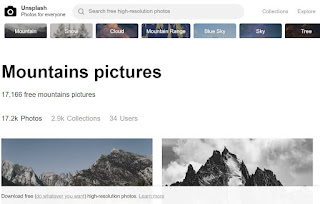
Unsplash - free photo gallery

Unsplash A wonderful collection of free photos. The photos below model good digital citizenship by giving attribution to the photographer....