Friday, March 15, 2013

Nearpod - multimedia presentations

Nearpod:  Make your lessons more engaging through interactive multimedia presentations.

Students can use iPods, iPhones or iPads or computer while the teacher runs the program using an iPad.  

How it works:   The teacher uses the Content Tool to create multimedia presentations and then shares this content with the students. The Teacher app allows the teacher to control the activity also. Students receive content and assessments on their device and then can submit answers and responses. The teacher can use the Reporting tool to monitor what the students are doing and collect their responses, assess their learning and gather data.


The multimedia presentations start with a PDF file and then quizzes, polls, videos, activities and more can be added.


There is a bank of pre-made Nearpod presentations, but they can also be made by the teacher from scratch.


Sample Nearpod lessons

TED-Ed: Lessons Worth Sharing

TED-Ed
This particular series is focused on educators and students.  Anyone can submit an audio file that can be animated by TED-Ed, placed on their website and shared with the world.

Take the TED-Ed Tour

Samples:
The Secret Life of Plankton

The Best Stats You've Ever Seen - Hans Rosling

After watching the video clips, teachers/students are asked some multiple choice and open ended questions on the content.  There is also a section to access for more information/resources.

Sunday, March 3, 2013

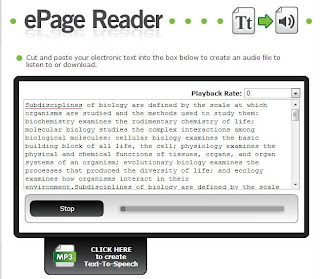
eReader: Online conversion of text to speech

Online text to speech converting website:http://lyceum.algonquincollege.com/ereader/

  • -cut/copy and paste into this reader
  • -seems to be able to handle a lot of text
  • -voice isn’t too bad (has some fluency and isn’t too robotic)

-can download mp3 version of the text that was pasted to be able to save it and access at another time

Friday, March 1, 2013

Evernote & related products

The Evernote set of products can help you organize your files, notes, and important websites so that they are gathered in one spot for easy access and recall.  These programs can be used on your computer as well as on your IOS device such as iPhone, iPod touch and iPad.

Evernote products let you:
  • capture anything (save ideas, things you like, hear and see)
  • access material anywhere (works with nearly every computer, phone and mobile device)
  • easy access to find files (search by keyword, tag, printed and handwritten text inside images)
Evernote - organizes files
Skitch - captures websites and allows annotation
Everclip -clips websites
Penultimate -notetaking for iOS device (handwriting), adds photos

All of the above programs or apps sync automatically to the cloud so that you have access on any device at any time.

Please ask your tech coach for a demo of products if you are interested.

Saturday, February 9, 2013

GoAnimate

Make amazing animated videos.
  • create an animated lesson for your classs
  • make a tutorial video or a demo video
  • students can have their plays or stories come to life
It is free!  Requires an email login.  
*make sure that the netbooks in school can play the videos as they require the latest Flash updates.


Here is a sample that speaks about using the ipod touches/ipad in LPSD.
(If you are viewing this on an ipad/ipod, you must use a browser that can play flash such as Puffin Browser. It will play on a computer with no problems)


Suggestion:  Have students write script ahead of time.  They can have 30 lines of text in pre-made templates.  They will have the ability to change scences, characters and voices (limited in free account).

Duolingo - Language Learning

http://duolingo.com/


Free Language Learning - sign up for a free account.  Points earned, ability to progress to more difficult levels.

Languages supported:  Spanish, English, Portugese, Italian, French, German

Duolingo free iphone/ipod app available.
Help to translate the web also!

Saturday, December 29, 2012

Create Wall Posters from your School Printer

Take any photo or image from the web and create large wall posters from it. Upload to BlockPosters then download the resulting PDF that will print out in pieces on your school printer. Get poster-size graphics without having to use a plotter-style printer.

http://www.blockposters.com

Thursday, December 13, 2012

Learn It In 5

Nice collection of videos aimed at teachers; learn about new technology for use in the classroom in bit-sized 5 minute pieces.  Whether introducing a new concept or expanding on what you already know, these step-by-step how-to videos are worth looking at.

http://www.learnitin5.com/


Friday, October 5, 2012

Wolfram Alpha

Wolfram Alpha is a computational knowledge engine which means that when you search a topic, you get exact answers instead of millions of websites to sift through.  You can search for specific terms or you can put in an equation to solve for example. 

Examples:
Click here to find the results of searching for a 30 sided polyhedron.

Click here to find the results of C major 7th chord.

Click here to find the results of searching for an exact longitude and latitude.

Thursday, October 4, 2012

Digital Media and Literacy

Canada's Centre for Digital Media and Literacy is a very useful site for teachers and students.  Lots of resources for staff, and some good online student quizzes/games to introduce different topics of digital literacy.
http://mediasmarts.ca/digital-media-literacy/educational-games

Unsplash - free photo gallery

Unsplash A wonderful collection of free photos. The photos below model good digital citizenship by giving attribution to the photographer....