- Veritasium -science video blog featuring experiments, expert interviews, cool demos, and discussions with the public about everything science
- Vsauce -videos about many topics including science
- C.G.P Grey -mainly social studies topics (ex. The Vatican Explained, 5 Historical Misconceptions etc)
- Minute Physics - very short, usually under 5 minutes (ex. How Big is the Universe?)
- Smarter Every Day -all types of science topics (Slow Motion Cat Flipping Physics, Helicopter Speed Limit)
- SciShow -less than 5 minute videos (Marie Curie- Great Minds, Why Ferns Have More Chromosomes than You)
- Crash Course -world history, US history, biology, ecology, chemistry, literature
- Numberphile -videos about numbers! (ex. Fibonacci Tartan and Bagpipes, Safecracking with Feynman
- AsapSCIENCE - animated shorts, under 5 minutes (The Science of Goosebumps and Music Chills, Science of Hair Loss/Balding)
- Bad Astronomy -advanced astronomy, space and science (How Much Pressure Does it Take to Crush a Concrete Cylinder)
Showing posts with label YouTube. Show all posts
Showing posts with label YouTube. Show all posts
Wednesday, April 17, 2013
10 Great YouTube Channels


Friday, March 15, 2013
Clea.nr -Extension to Get Rid of YouTube Clutter
http://clea.nr/
This company provides extensions for Safari, Firefox and Chrome to take out the clutter on YouTube. If you have trouble installing on your computer, please contact your tech coach.
Those that have the new laptops will be able to add this extension to Chrome for example right away.
Use ViewPure (see post in blog) if you would like to decide when to have clutter or not as Clea/nr removes the other videos and comments all the time.
Friday, September 7, 2012
YouTube without the Clutter
Great way to show YouTube videos in your classroom without all the distractions that surround the video (comments, suggestions, etc).
Copy/Paste the URL of the video you want to play (web address such as http://www.youtube.com/watch?v=-ulvv3YdtNs&feature=plcp)
Go to http://viewpure.com/ and paste the address...click 'Create'
You'll have your video play in a clutter-free new window!
If that link is not working, another site to use is SafeShare. It works in the same way as ViewPure.
Thursday, September 15, 2011
Saving YouTube & File Conversion Programs
Some people have been using Save YouTube or KeepVid as a way of saving video files to their computers. This can be very efficient for content delivery as you may have noticed that videos are removed from YouTube, or that download times can be slow.
Find a video on YouTube, then type the word kick, kiss, save or keep in front of YouTube and you will be directed to the Save YouTube or KeepVid websites. Some of these sites do get blocked from time to time or may not be free.
If those methods are not working for you, another option may be Zamzar.

Zamzar takes a little longer but the options are better than most websites for online file conversion. While the choices are better, sometimes the download times are slow. It does take an extra step as a link is sent via email when the conversion has been completed. Sometimes that link comes right away, sometimes it can take much longer if their server is busy. Conversion is free and will handle files up to 100 MB. Once the file is converted, you have 24 hours to download the file (via your email). Zamzar no longer allows you to save YouTube videos.
VidGod
Zamzar also allows you to take the audio from a video file such as a music video. For this purpose, to make an mp3 file from a .flv file (YouTube), an easier method is to use VidGod. It is an easy tool for stripping the audio from a video. Copy and paste the YouTube URL into the correct box on VidGod, then convert. Conversion is free and very fast.
Find a video on YouTube, then type the word kick, kiss, save or keep in front of YouTube and you will be directed to the Save YouTube or KeepVid websites. Some of these sites do get blocked from time to time or may not be free.
If those methods are not working for you, another option may be Zamzar.
Zamzar takes a little longer but the options are better than most websites for online file conversion. While the choices are better, sometimes the download times are slow. It does take an extra step as a link is sent via email when the conversion has been completed. Sometimes that link comes right away, sometimes it can take much longer if their server is busy. Conversion is free and will handle files up to 100 MB. Once the file is converted, you have 24 hours to download the file (via your email). Zamzar no longer allows you to save YouTube videos.
VidGod
Zamzar also allows you to take the audio from a video file such as a music video. For this purpose, to make an mp3 file from a .flv file (YouTube), an easier method is to use VidGod. It is an easy tool for stripping the audio from a video. Copy and paste the YouTube URL into the correct box on VidGod, then convert. Conversion is free and very fast.
More YouTube! Tube Chop
TubeChop
If you would like to select a portion of a YouTube clip to show to students, this website service will allow you to edit a clip by chopping out the portion you want.
1. Find the video you want to chop.
2. Select and cut the interesting part of the video.
3. Save or copy the hyperlink of the new "chopped" video.
Two Methods:
a. Copy and paste the YouTube URL into the box found on TubeChop.
b. Replace youtube with tubechop and add/delete as shown below.
Original YouTube URL: http://www.youtube.com/watch?v=MDthMGtZKa4
Modified TubeChop URL: http://www.tubechop.com/chop/MDthMGtZKa4
Dealing with YouTube! ViewPure & Quietube
There are many programs that can help you manage YouTube clips in the classroom. Are you annoyed with the inappropriate comments listed below the clips or perhaps the suggested videos that appear on the side of the page? Although you can show the video in full screen mode to hide this content, there are still times during class when it appears. Perhaps you want to give the video link to a student on a netbook to watch - this way you don't have to worry about exposing them to undesirable material.
Try Viewpure to get rid of the content around the video clip. There are two ways to accomplish this:
1. Copy your YouTube clip URL and paste it into the box on the Viewpure site.
2. When in YouTube, replace http://www.youtube.com/ with viewpure.com . Then erase watch?v= but leave the number/letter string
Original YouTube URL: http://www.youtube.com/watch?v=ckP8msIgMYE
ViewPure URL: http://viewpure.com/ckP8msIgMYE
These new links can be added directly on to your Notebook, PowerPoint, and Word documents as a hyperlink instead of going through this process during class time. It makes the lesson go a bit smoother and faster.
Other options within ViewPure:
a) show with black background
b) return to original YouTube URL
As with ViewPure, Quietube works in a similar fashion.
Subscribe to:
Posts (Atom)
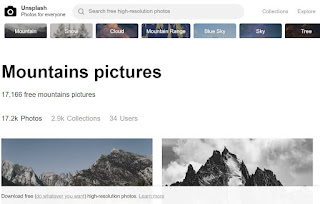
Unsplash - free photo gallery
Unsplash A wonderful collection of free photos. The photos below model good digital citizenship by giving attribution to the photographer....
-
 WeVideo is a collaborative, online video editor that stores your working and finished files in the "cloud". By setting up a free...
-
 Unsplash A wonderful collection of free photos. The photos below model good digital citizenship by giving attribution to the photographer....
-
 Typing.com Grades 4 and older Free Class accounts available to monitor progress Games and typing tests Dance Mat Typing (B...