Showing posts with label Geography. Show all posts

Tuesday, February 14, 2012

Survey Creator - Create an online survey in 4 steps

Survey Creator is a free service that allows surveys to be conducted and managed online. As the link to access the survey is controlled by the author, this service offers a safe and secure environment if desired. It's easiest to send the link and password to your class through LPSD email. For elementary classes that don't use email, the login information can be saved as a Word document in each school's "studentshare" drive for all students to access.

There are 4 steps to creating an online survey.
1. Sign up for a free account
2. Design the survey and questions
3. Send the link to your respondents
4. After the respondents have submitted their responses, you can analyse and report on the data

Survey Creator is promoting the following features:
  • Simple and user friendly environment
  • Different language preferences and support
  • User defined design (colors, fonts, style)
  • Add, modify, delete, or duplicate the questions / surveys is an easy operation
  • 4 modes - survey, instant poll (with instant results), quiz (with instant evaluation), subscription (share collected data)
  • Variety of question types: single/multiple choice, evaluation scales,...
  • E-mail notification
  • Filtering on multiple replies per respondent
  • Direct data exchange with Excel, Export in PDF
  • Graphical reporting
  • Surveys protected by login / password
  • Data storage on a secure server
  • Publicity/ads free surveys
Survey Design Editor
Question Editor
Data Analysis
The interface to design the survey and questions can be a bit challenging for a first time user and unfortunately there is a bit of experimentation and previewing needed to design the survey to your needs. There is a built in help and FAQ menu available through the service.

Please request help from the tech coaches if you are interested in using this program and feel you need assistance.

Sunday, November 27, 2011

Lloydminster meets Kaohsiung, Taiwan!

For students at Queen Elizabeth School in Lloydminster and their teacher, Justin Saulnier, it is the chance of a lifetime.  Partnered with Fo Gong Primary School, in Kaohsiung, Taiwan, it is a chance to make new friends on the other side of the world.

Here is an article from the Lloydminster Source on this project.  The article is found on page 12 and 13.


Newcap News also highlighted this project in Beyond the Classroom from Dec. 14, 2011.

Using technology such as Google Earth, the partner school is brought to life for students here on the prairies.  The globe shrinks with the use of technology that can connect students at the click of a mouse.  Although the time difference limits Skype time (14 hour difference!), we have other methods to have students share their culture and experiences face to face.  Justin's class spent some quality time walking around Lloydminster, capturing videos of Lloydminster landmarks and locations using the LPSD ipod touches.  They were able to make short videos that have been shared with the class at Fo Gong Primary School.  You can find these videos on the QE website (Video Blog link) as well as on the partner teachers' blog "Little Stars".  Look for more videos to be posted over the next few weeks.

Future collaboration and sharing will likely include:  Sharing artifacts through the mail, sharing information on our winter activities as a contrast to their climate and activities.

Fo Gong Primary School website (English)


View Larger Map

For teachers that are interested in partnering with another class, there are many ways to accomplish this.  S. Merth can help you create and find a project.  This particular contact was found using an ad posted on "Around the World With 80 Schools".  In addition to our new friends in Taiwan, LPSD teachers currently have projects underway in Wheat Ridge, Colorado, Tulita, Northwest Territories, and Alabama.  Another option is to post an ad in "Skype in the Classroom".http://www.tubechop.com/watch/248730

Monday, September 26, 2011

Arounder: Travel the World!

"Arounder gives travelers a vivid sense of what a city has to offer: historical cathedrals and works of art, museums featuring famous artists, local cafes and stores, breathtaking mountain-top views, quiet parks and gardens. Each issue contains a series of interesting panoramas giving you a full immersive view of the cities. Navigation is easy with Google maps of the city and surrounding area. Every issue also links to local merchants with virtual tours of hotels, restaurants, spas and stores."
In addition to the same content through their website, there is also a free download from the Apple Store: http://itunes.apple.com/ca/app/aroundertouch/id335574325?mt=8

Arounder will be added to the LCHS ipod and ipad image this fall.


Examples of included locations:  Amsterdam, Barcelona, Atlanta, Helsinki, Paris, Oslo, Venice, Beijing, Moon, Mars

Friday, April 15, 2011

Learn Alberta's Online Reference Center

A major problem students and teachers encounter when doing research is when the internet is unavailable or slow because of heavy traffic to a particular site. Sometimes sites become dead links or valuable time is wasted when students aren't focusing their research on age appropriate information.

Built into every school's library home page is a link to Learn Alberta's Online Reference Center which supplies a wealth of research resources for students and teachers that are broken down into age appropriateness.
As all this information is stored and regularly updated on an independent server in each school library, these resources offer immediate access as they aren't reliant on the World Wide Web. You will not get a slow or dead primary link using this service as long as you are logged into LPSD. However, others links within these services may be dead or slow if they are dependent on accessing the World Wide Web. Access at home is available if you use LPSD's login and password which can be located at the top of the webpage.

All resources are listed in alphabetical order:

Accent: Discover French Beyond the Classroom| Grades K-12
Advance Placement Source| Grades 10-12
AlbertaSource.ca The Alberta Online Encyclopedia| Grades 6-12
Amazing Animals of the World| Grades K-6
The Atlas of Canada| Grades 6-12
Bookflix| Grades K-3
The Canadian Encyclopedia| Grades 5-12
Canadian Reference Center| Grades 7-12
Culturegrams| Grades 3-12
Early Canadiana Online| Grades 9-12
EBSCOhost| Grades 7-12
eLibrary Canada: Curriculum Edition| Grades 6-12
eLibrary Elementary| Grades 4-8
Grolier Online Passport| Grades 7-12
History Study Center| Grades 9-12
Novelist K-8 Plus| Grades K-8
Novelist Plus| Grades 9-12
Opposing Views In Context| Grades 7-12
Peel's Prairie Provinces| Grades 6-12
ProQuest Learning Literature| Grades 9-12
Science in Context| Grades 6-12
Statistics Canada: Learning Resources| Grades K-12
TeachingBooks.net| Grades K-12
World Book Advanced| Grades 8-12
World Book Kids| Grades K-3
World Book Student| Grades 4-9

Thursday, April 14, 2011

Accessing ExploreLearning Gizmos through Learn Alberta

Gizmos is an online interactive simulation site that has been provided to our schools through Learn Alberta.
Learn Alberta

Using our division’s Learn Alberta account, staff and students can access Gizmos without needing to register or pay for anything extra. These are all free to use in your classroom.
In the search button to the left, type in Gizmo, the subject area, and grade levels.
For example:  Under the Resource Search, type in "gizmo", select "Science", then Grade 11 and 12 and get 125 gizmos!
If one types in "Gizmo Biology", you will get 37 gizmos. You can narrow the search to a more specific topic if desired.


Learn Alberta Home Screen
 
Interactive Photosynthesis Gizmo

Staff and students have an automatic login to this site anytime they are logged into the school division's network. You just need to use the "search" field on the left. If you want to access this site at home you will need to use the division's login and password. As we aren't able to post these on this public forum, please locate and record the info at the top right of the webpage anytime you access this site at school.


Friday, April 8, 2011

Scribblemaps Pro in the Classroom

http://scribblemaps.com/ Scribble Maps is the quick and easy way to rapidly make and share maps!  Once you begin exploring this application, you will think of many ways you can incorporate it in your classroom.
It's a simple-to-use online map allowing you to draw shapes, place markers and text,  link to a graphic, and ‘scribble’ on them as well.  You are also able to create a custom widget that can be embedded in your website or blog.


Similar in style to Google Maps, you can zoom in and out showing the desired area you want to work with.  You have four view modes:  map, terrain, hybrid, and satellite.  Then, using the tools, you can map out (draw) a route, mark and identify locations.  With the shapes tools you can draw a circle or square around a specific area and even control the opacity of the shape. Students have been using this application to create presentations demonstrating relationships between geographical features, resources, land use, and industry.


Registration for ScribbleMaps is free.  Upgrading to ScribbleMaps Pro (also free) gives you account management, additional tools, and other features.

For a quick overview and tutorial of creating a map....
Scribblemap Pro Basic Tools Tutorial
Saving Scribblemap Youtube Tutorial

If you are needing information on topics like environment, the economy, history, resources, health, people and society a great resource for Canadian statistical data is the Atlas of Canada offered through the Learn Alberta Online Reference Center.


Thursday, April 7, 2011

Google Earth Tours

Google Earth
There are many features to Google Earth that you and your students can use in the classroom.  Aside from finding directions, they can access the street level view which was added a few years ago.  Most towns and cities now have this feature.  Simply grab and drag the yellow street level man onto any city street and you will automatically zoom in.  You can then get a 360 degree view of the street if you use the left and right arrow keys, or drive along the street using the up and down arrows!  

Please contact your technology coach for assistance in setting up tours, organizing files within Google Earth, and exporting tours so they can be shared between teachers and students. 
Did you know that you can also record tours?  In Google Earth 5 and 6, there is the ability to record all of your actions on the screen, so you can save them to show repeatedly.  For example, you might have a tour that flys through the Grand Canyon, flys to the Seven Wonders of the World, or follows a historical event such as the settlement of Western Canada by the Barr Colonists or the historical places involved in the Northwest Rebellion.  Contact your tech coach to help you or put you in touch with teachers who have used this feature.

Google Maps:
Make your own tours (lit tours, geological tours, holiday summaries, historical place tours etc).  Using an email account, set up a private or public display of these tours.  When you make it private, you can select who will see your map tour.  Students can create an itinerary to follow as if they were running a tour company.  This type of lesson incorporates research, geography, and creative writing all in one!
Once students are signed in to their account, they can add markers, road highlights, photos, text and video links.  The list of places with their icon appears on the side margin, while the markers will show on the satellite or road map version of the locations they have chosen.   Here is a video the illustrates how to use this tool.
Google Maps


GoogleTreks:
This website houses many teacher approved 'tours' in many different subject areas and grade levels.  It uses the Google Maps feature that allows the user to place video, photos, websites, and text to make custom tours.  Rubrics are provided to help plan the tour before submitting it to the site for approval.

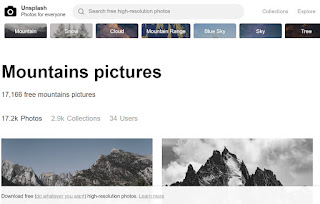
Unsplash - free photo gallery

Unsplash A wonderful collection of free photos. The photos below model good digital citizenship by giving attribution to the photographer....