Wednesday, March 14, 2012

Gooru: Comprehensive Math and Science Searches

Gooru -search results are shown in thumbnails and grade levels are indicated.  
You can:

  • Search for resources, collections or quizzes
  • Study individual resources or entire collections
  • Practice with an adaptive assessment system
  • Interact with your peers and teachers
  • Save -- and customize -- your favourite learning materials


"Gooru is a search engine for learning that allows you to explore and study over 2,600 standards-aligned and personalized study guides. Study guides cover 5th-12th grade math and science topics, and resources include digital textbooks, animations, instructor videos and more. All resources are vetted and organized by teachers or Gooru’s content experts, so you don’t have to sort through the mess of subpar educational resources available online yourself. 

Gooru also makes it easy for you to connect with your worldwide peers to make learning a social experience. Post questions to an active community of students, teachers and experts, or find friends and peers to study with. 

Best of all, Gooru adapts to you. Based on the topics you study and your performance on self-assessments, Gooru suggests resources and study guides that will help you master the concepts. You can track your study habits and monitor your performance on any of the topics you study."


This comprehensive search engine can only be used with Safari, Firefox, and Google Chrome.  Some of our schools have Firefox.  If not, you can use the portable version of Google Chrome on your computer.  Contact  your tech coach if you need help getting this.  Portable Chrome   You can install the program on your desktop or onto a USB drive of your school computer.  At home, install the program as you normally would.


Friday, March 9, 2012

Cool Text for your Presentations

Here are a number of websites that allow you to make animated gifs that can be used in SMART Notebook.

Wigflip.com/signbot 
Scrolling LED sign
Wigflip Signbot
Tiny Tags
wigflip.com/tinytags/
Tiny Tags


Textanim.com

Friday, March 2, 2012

How to open a blocked shortened URL


Creating and sharing tinyURLs or shortened / snipped URLs are now quite commonly used in Twitter and other micro-blogging sites. Tiny URLs are easier to remember and manage. However, sometimes tinyURL or other URL snipping services are blocked. As a result you cannot know and visit original URL behind the tinyURL.  This quick service lets you convert a tiny URL into the orgininal URL so that you can visit that website. 

How to Shorten a URL

Bitly

bitly is a utility that allows users to shorten a long URL, share it, and then track the resulting usage.  A shortened website URL is useful in text messages or Twitter posts in order to save room/characters.


This is also a free app for iphone/ ipod touch etc.


Other URL shorteners:


tinyURL


shrinkURL is also another free app available on itunes.

Friday, February 24, 2012

Paths of the Elders - Free Simulation


Paths of the Elders - Free Simulation

This is a role playing simulation centred on the signing of Treaty 9 around James Bay. It is designed more towards Div 2 Elementary and Middle School students as there is a large reading component playing the simulation. Students need to create an account to save their progress and must submit an email for the service to supply information in case they forget their password.

Although it would be great to have a simulation based on Treaty 6 many comparative references, concepts, and understandings can be drawn from this website.

The students are challenged to complete 6 "Path of Learning" through their quest.
1. Self-Governance
2. Security
3. Health
4. Economy
5. Culture
6. Education

This simulation is challenging and requires critical thinking and strategy. How students respond to questions, interact with other characters, and manage resources will determine how successful they are in the quest. Cooperation with other characters is essential.

There are many audio, video and photo clips built through the quest and teacher resource guides supplied. There is even a survey for teachers and students to offer feedback and suggestions to improve the site.

Please take the time to preview and evaluate this site. Any feedback would be greatly appreciated.

As this site is Flash dependent I have tried it out on a few machines throughout the division and there are no conflicts so far. If you have students that rely on assistive technology there is a slight problem using the "screen capture" option in Read & Write Gold. Some of the information is hard to grab as it is only a temporary popup when you move the cursor over an area which restricts the ability to use the screen capture tool. There is also a slight problem when Read and Write Gold converts what it has captured as not all the words in the information is processed properly.

Please contact any of the coaches if you need assistance with any technological, curricular, and differentiation questions you may have.


Wednesday, February 15, 2012

XNView Portable App from PortableApps.com - editing pictures made easy

XNView portable app is a very simple and easy-to-use graphic file editor. Although not as powerful as Photoshop or GIMP, this program does contain most of the photo editing features for beginner and intermediate users.  One of the strongest features of this portable app is the ability to batch process large numbers of pictures at the same time rather than manipulating each picture as a separate task which can be a long process.

Simply download from PortableApps.com and install the program folder to either your flash drive or to your desktop.

The main features they promote include:
  • Import about 400 graphic file formats
  • Export about 50 graphic file formats
  • Multipage TIFF, Animated GIF, Animated ICO support
  • Image IPTC, EXIF metadata support
  • EXIF auto rotation support
  • IPTC editing
  • Resize, rotate, crop support
  • Lossless rotate & crop (jpeg) support
  • Adjust brightness, contrast...
  • Auto levels, contrast
  • Modify number of colors
  • Apply filters (blur, average, emboss, ...)
  • Apply effects (lens, wave, ...)
  • Fullscreen mode
  • Slide show with effects
  • Batch convert, batch rename
  • Create WEB page easily
  • Screen capture
  • Create contact Sheet
  • Create or edit Multi-page file (TIFF, DCX, LDF)
  • TWAIN & WIA support (Windows only)
  • Print support (Windows only)
  • Drag & Drop support (Windows only)
  • Compare image side by side
  • Filmstrip layout
  • 44 languages support (Windows only)
  • No Adware, No Spyware

Batch processing to resize multiple files


Tuesday, February 14, 2012

Survey Creator - Create an online survey in 4 steps

Survey Creator is a free service that allows surveys to be conducted and managed online. As the link to access the survey is controlled by the author, this service offers a safe and secure environment if desired. It's easiest to send the link and password to your class through LPSD email. For elementary classes that don't use email, the login information can be saved as a Word document in each school's "studentshare" drive for all students to access.

There are 4 steps to creating an online survey.
1. Sign up for a free account
2. Design the survey and questions
3. Send the link to your respondents
4. After the respondents have submitted their responses, you can analyse and report on the data

Survey Creator is promoting the following features:
  • Simple and user friendly environment
  • Different language preferences and support
  • User defined design (colors, fonts, style)
  • Add, modify, delete, or duplicate the questions / surveys is an easy operation
  • 4 modes - survey, instant poll (with instant results), quiz (with instant evaluation), subscription (share collected data)
  • Variety of question types: single/multiple choice, evaluation scales,...
  • E-mail notification
  • Filtering on multiple replies per respondent
  • Direct data exchange with Excel, Export in PDF
  • Graphical reporting
  • Surveys protected by login / password
  • Data storage on a secure server
  • Publicity/ads free surveys
Survey Design Editor
Question Editor
Data Analysis
The interface to design the survey and questions can be a bit challenging for a first time user and unfortunately there is a bit of experimentation and previewing needed to design the survey to your needs. There is a built in help and FAQ menu available through the service.

Please request help from the tech coaches if you are interested in using this program and feel you need assistance.

Tuesday, January 31, 2012

Newsmap

Newsmap:  This site displays a visual search of the world's news.  It displays the news of the day and will colour code results by topic such as 'science', 'technology', business etc.  It will also colour code those individual topics based on how long ago the story was posted.  The darkest of each colour (topic) was posted more than an hour ago, while the lightest, displays postings of less than 10 minutes ago.  You can toggle on or off individual countries to find certain news reports or current events.  It also allows you to search by topic (top right of row).  A simple mouse over of each box will give a brief description and then you could choose to click/select it to follow that news item.

This example has Canada selected (top row) and presents all topics (bottom row).

Friday, January 27, 2012

PortableApps.com - Allows freedom and portability

At times, staff within LPSD encounter problems using installed software that requires updates and will not perform properly as technology constantly changes. As we await the deploy of our new image there is a temporary solution by using free apps that can be downloaded to be installed and used on various portable storage devices or even to your desktop. There are also a large number of apps that are not installed on LPSD computers that teachers may want to use.

Portable Apps Home

Common free programs that have been converted to portable format include Google Chrome, Mozilla Firefox, Skype, Blender, GIMP, Celestia, Stellarium, Marble, Audacity, & VLC Media Player. All you have to do is download (enable the download warning and choose run) and give it a location to install the folder on your flash drive or desktop. Housed inside the installed folder is the .exe launch icon which will start the program.


Categorized List of Portable Apps

Wednesday, January 25, 2012

Oolone: Visual Search Engine

Oolone
Do you have students who have a difficult time reading through the lists of search results?  You could introduce them to a more visual search engine called Oolone.  This could be great alternative for EAL students.

To make this work better for you, try more specific search terms.  For example, if you are researching dolphins, try "dolphin behaviour" or "dolphin biology" instead of just the term "dolphin". That way the search results will not include the Miami Dolphins and websites on dolphin stuffed animals!


You can see visual copies of websites in Google as well, but you have to mouse over each site.  Oolone displays a number at a time.


Unsplash - free photo gallery

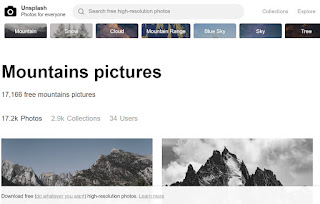
Unsplash A wonderful collection of free photos. The photos below model good digital citizenship by giving attribution to the photographer....