Take any photo or image from the web and create large wall posters from it. Upload to BlockPosters then download the resulting PDF that will print out in pieces on your school printer. Get poster-size graphics without having to use a plotter-style printer.
http://www.blockposters.com
Saturday, December 29, 2012
Thursday, December 13, 2012
Learn It In 5
Nice collection of videos aimed at teachers; learn about new technology for use in the classroom in bit-sized 5 minute pieces. Whether introducing a new concept or expanding on what you already know, these step-by-step how-to videos are worth looking at.
http://www.learnitin5.com/

http://www.learnitin5.com/


Friday, October 5, 2012
Wolfram Alpha
Wolfram Alpha is a computational knowledge engine which means that when you search a topic, you get exact answers instead of millions of websites to sift through. You can search for specific terms or you can put in an equation to solve for example.
Examples:
Click here to find the results of searching for a 30 sided polyhedron.
Click here to find the results of C major 7th chord.
Click here to find the results of searching for an exact longitude and latitude.
Examples:
Click here to find the results of searching for a 30 sided polyhedron.
Click here to find the results of C major 7th chord.
Click here to find the results of searching for an exact longitude and latitude.
Thursday, October 4, 2012
Digital Media and Literacy
Canada's Centre for Digital Media and Literacy is a very useful site for teachers and students. Lots of resources for staff, and some good online student quizzes/games to introduce different topics of digital literacy.
http://mediasmarts.ca/digital-media-literacy/educational-games
http://mediasmarts.ca/digital-media-literacy/educational-games
Monday, September 24, 2012
Texting with your Class
Remind101 seems like a really nice option for communicating with your class and parents via SMS (text messaging). No need to share your cell # with students. Very simple web interface. Works in Canada.
www.remind101.com
www.remind101.com
Friday, September 7, 2012
YouTube without the Clutter
Great way to show YouTube videos in your classroom without all the distractions that surround the video (comments, suggestions, etc).
Copy/Paste the URL of the video you want to play (web address such as http://www.youtube.com/watch?v=-ulvv3YdtNs&feature=plcp)
Go to http://viewpure.com/ and paste the address...click 'Create'
You'll have your video play in a clutter-free new window!
If that link is not working, another site to use is SafeShare. It works in the same way as ViewPure.
Copy/Paste the URL of the video you want to play (web address such as http://www.youtube.com/watch?v=-ulvv3YdtNs&feature=plcp)
Go to http://viewpure.com/ and paste the address...click 'Create'
You'll have your video play in a clutter-free new window!
If that link is not working, another site to use is SafeShare. It works in the same way as ViewPure.
Update: Desktop/Laptop Refresh
After a lengthy RFP process, LPSD has selected HP to provide the technology for our upcoming desktop and laptop refresh. Here's the details:
-
Teachers will have 15.6in HP 4530s 6GB RAM + 2
Power Adapters
-
Desktops will be HP 6300 6GB RAM with 21.5in LED
Display
-
Middle School/LCHS will have new 28 bay carts
-
ES Laird is pilot and will be installed October
(awaiting delivery timeframe from vendor)
-
More detailed information on process for
converting your school will be determined as part of the ES Laird pilot, but
overall process will be similar to following:
o
Pre-Hardware Order Walk Through with School
Admin + IT Dept to determine current computer quantity and assess required
quantity
o
Order Hardware
o
Pre-Delivery Software Review of all custom
software at each school to determine Windows7 compatibility and recourse if
necessary
o
Review of Onsite Rollover Process whereby we’ll
flip your school ‘live’ with low/none downtime for secretary staff
-
Information on refresh such as Image Software
List and Project Updates will be made available right here on the LPSD Technology Blog
once we get underway at ES Laird
Monday, June 4, 2012
Scale of the Universe
 Scale of the Universe is an interactive animation that easily allows the user move a slider to zoom in and out of objects to see their relative size.
Tuesday, May 22, 2012
Easel.ly: Share Visual Ideas Online

Easel.ly: Drag and drop a vheme (Visual Theme) onto the working area, easily add graphics and text, change backgrounds to create visually appealing graphs, charts and displays. This site is very user friendly. Work can be saved using the free sign up feature.

Soundcli.ps
 Soundcli.ps is a free sound library which allows you to save files for future use. If you set up a free account you can store your clips in your account and use them for different types of presentations. If you don't set up an account, you still have the ability to download these short sound clips. There are over 10,000 sounds to choose from.
Subscribe to:
Posts (Atom)
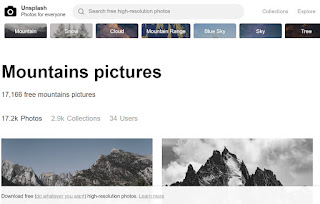
Unsplash - free photo gallery
Unsplash A wonderful collection of free photos. The photos below model good digital citizenship by giving attribution to the photographer....
-
 WeVideo is a collaborative, online video editor that stores your working and finished files in the "cloud". By setting up a free...
 -
 Unsplash A wonderful collection of free photos. The photos below model good digital citizenship by giving attribution to the photographer....
 -
Tagxedo - highly recommended! This program allows you to save the word cloud you have generated. There are a multitude of options inclu...
