At times, staff within LPSD encounter problems using installed software that requires updates and will not perform properly as technology constantly changes. As we await the deploy of our new image there is a temporary solution by using free apps that can be downloaded to be installed and used on various portable storage devices or even to your desktop. There are also a large number of apps that are not installed on LPSD computers that teachers may want to use.
Portable Apps Home
Common free programs that have been converted to portable format include Google Chrome, Mozilla Firefox, Skype, Blender, GIMP, Celestia, Stellarium, Marble, Audacity, & VLC Media Player. All you have to do is download (enable the download warning and choose run) and give it a location to install the folder on your flash drive or desktop. Housed inside the installed folder is the .exe launch icon which will start the program.
Categorized List of Portable Apps
Friday, January 27, 2012
Wednesday, January 25, 2012
Oolone: Visual Search Engine
Oolone
Do you have students who have a difficult time reading through the lists of search results? You could introduce them to a more visual search engine called Oolone. This could be great alternative for EAL students.
To make this work better for you, try more specific search terms. For example, if you are researching dolphins, try "dolphin behaviour" or "dolphin biology" instead of just the term "dolphin". That way the search results will not include the Miami Dolphins and websites on dolphin stuffed animals!
You can see visual copies of websites in Google as well, but you have to mouse over each site. Oolone displays a number at a time.
Do you have students who have a difficult time reading through the lists of search results? You could introduce them to a more visual search engine called Oolone. This could be great alternative for EAL students.
To make this work better for you, try more specific search terms. For example, if you are researching dolphins, try "dolphin behaviour" or "dolphin biology" instead of just the term "dolphin". That way the search results will not include the Miami Dolphins and websites on dolphin stuffed animals!
You can see visual copies of websites in Google as well, but you have to mouse over each site. Oolone displays a number at a time.
Friday, December 16, 2011
We Give Books -reading for a great cause
This is a great site for teachers and students. This program, developed by Pearson and Penguin Books, requires a simple sign up procedure. Books can be read online and then gifted for free to the organization of your choice illustrated below.
Here is the information from the website:
"We Give Books is a new digital initiative that enables anyone with access to the Internet to put books in the hands of children who don't have them, simply by reading online.
We Give Books combines the joy of reading with the power of helping others, providing a platform for caregivers and educators to inspire children to become lifelong readers and lifelong givers.
Here is the information from the website:
"We Give Books is a new digital initiative that enables anyone with access to the Internet to put books in the hands of children who don't have them, simply by reading online.
We Give Books combines the joy of reading with the power of helping others, providing a platform for caregivers and educators to inspire children to become lifelong readers and lifelong givers.We Give Books also helps some of the world's best, most inspiring, literacy organizations by spreading the word about their great work and by providing books to the young people these organizations support.
Who Is Behind It?
We Give Books was created by the Penguin Group and the Pearson Foundation. Together, we support literacy through programs that engage entire communities through literacy and awareness programs like Booktime and Jumpstart's Read for the Record. We hope that We Give Books proves to be a way that young children, together with their parents or caregivers, can come to understand the power of reading—and of giving—as much as we do.
We are dedicated to delivering award-winning books empowering you to read and share beautiful stories with children in your life. With age-appropriate content for young readers, our goal is to create memories that will last a lifetime.
Books are right at the heart of this program — books for reading and books for giving!
All of the books available for online reading are children's picture books appropriate for children through age ten. There is a mix of fiction and nonfiction, a range of authors, and an equal balance between read-alouds and books for independent readers. We'll be adding news books every month, together with special seasonal offerings."
Wednesday, November 30, 2011
WeVideo
WeVideo is a collaborative, online video editor that stores your working and finished files in the "cloud". By setting up a free account using an email address, users are able to make polished videos with the aid of this program. It allows you to edit clips, add transitions, add titles and some neat animated graphics similar to other movie making programs. This program is very easy to use, but does contain sufficient helpful hints along the way if you get stuck using a part of it. You may invite others (up to 5) to collaborate on the same project via a unique URL. The free version of this program has the following components: - 1 GB storage
- 360p resolution
- 15 export minutes per month
- Export to Facebook, YouTube, Vimeo and Twitter
- 5 invites per project
- 390 licensed music titles
Sunday, November 27, 2011
Lloydminster meets Kaohsiung, Taiwan!
For students at Queen Elizabeth School in Lloydminster and their teacher, Justin Saulnier, it is the chance of a lifetime. Partnered with Fo Gong Primary School, in Kaohsiung, Taiwan, it is a chance to make new friends on the other side of the world.
Here is an article from the Lloydminster Source on this project. The article is found on page 12 and 13.
Newcap News also highlighted this project in Beyond the Classroom from Dec. 14, 2011.
Using technology such as Google Earth, the partner school is brought to life for students here on the prairies. The globe shrinks with the use of technology that can connect students at the click of a mouse. Although the time difference limits Skype time (14 hour difference!), we have other methods to have students share their culture and experiences face to face. Justin's class spent some quality time walking around Lloydminster, capturing videos of Lloydminster landmarks and locations using the LPSD ipod touches. They were able to make short videos that have been shared with the class at Fo Gong Primary School. You can find these videos on the QE website (Video Blog link) as well as on the partner teachers' blog "Little Stars". Look for more videos to be posted over the next few weeks.
Future collaboration and sharing will likely include: Sharing artifacts through the mail, sharing information on our winter activities as a contrast to their climate and activities.
Fo Gong Primary School website (English)
View Larger Map
For teachers that are interested in partnering with another class, there are many ways to accomplish this. S. Merth can help you create and find a project. This particular contact was found using an ad posted on "Around the World With 80 Schools". In addition to our new friends in Taiwan, LPSD teachers currently have projects underway in Wheat Ridge, Colorado, Tulita, Northwest Territories, and Alabama. Another option is to post an ad in "Skype in the Classroom".http://www.tubechop.com/watch/248730
Here is an article from the Lloydminster Source on this project. The article is found on page 12 and 13.
Newcap News also highlighted this project in Beyond the Classroom from Dec. 14, 2011.
Using technology such as Google Earth, the partner school is brought to life for students here on the prairies. The globe shrinks with the use of technology that can connect students at the click of a mouse. Although the time difference limits Skype time (14 hour difference!), we have other methods to have students share their culture and experiences face to face. Justin's class spent some quality time walking around Lloydminster, capturing videos of Lloydminster landmarks and locations using the LPSD ipod touches. They were able to make short videos that have been shared with the class at Fo Gong Primary School. You can find these videos on the QE website (Video Blog link) as well as on the partner teachers' blog "Little Stars". Look for more videos to be posted over the next few weeks.
Future collaboration and sharing will likely include: Sharing artifacts through the mail, sharing information on our winter activities as a contrast to their climate and activities.
Fo Gong Primary School website (English)
View Larger Map
For teachers that are interested in partnering with another class, there are many ways to accomplish this. S. Merth can help you create and find a project. This particular contact was found using an ad posted on "Around the World With 80 Schools". In addition to our new friends in Taiwan, LPSD teachers currently have projects underway in Wheat Ridge, Colorado, Tulita, Northwest Territories, and Alabama. Another option is to post an ad in "Skype in the Classroom".http://www.tubechop.com/watch/248730
Free Science Demonstrations
PhET provides free interactive simulations of different physics, chemistry and biological phenomena. PhET enables students to make connections between real-life phenomena and the underlying science, deepening their understanding and appreciation of the world around them.
To help students visually comprehend concepts, PhET simulations animate what is invisible to the eye through the use of graphics and intuitive controls, such as click-and-drag manipulation, sliders, and radio buttons. The simulations offer measurement instruments including rulers, stop-watches, voltmeters, and thermometers. This is fully interactive at every point, and, as the user manipulates these tools, responses are immediately animated, illustrating cause-and-effect relationships.
All grade levels can use these animations and online activities/simulations.
Here are some examples from the Sask. Curricula that could access these simulations.
Grade 4 Physical Science: Light and Sound units
Grade 5 Physical Science: Properties and Changes of Materials
Forces and Simple Machines
Grade 7 Physical Science: Mixtures and Solutions
Heat and Temperature
Grade 8 Physical Science: Optics and Vision
Forces, Fluids and Density
Grade 9 Physical Science: Characteristics of Electricity
Circuit Construction Simulation
To help students visually comprehend concepts, PhET simulations animate what is invisible to the eye through the use of graphics and intuitive controls, such as click-and-drag manipulation, sliders, and radio buttons. The simulations offer measurement instruments including rulers, stop-watches, voltmeters, and thermometers. This is fully interactive at every point, and, as the user manipulates these tools, responses are immediately animated, illustrating cause-and-effect relationships.
All grade levels can use these animations and online activities/simulations.
Here are some examples from the Sask. Curricula that could access these simulations.
Grade 4 Physical Science: Light and Sound units
Grade 5 Physical Science: Properties and Changes of Materials
Forces and Simple Machines
Grade 7 Physical Science: Mixtures and Solutions
Heat and Temperature
Grade 8 Physical Science: Optics and Vision
Forces, Fluids and Density
Grade 9 Physical Science: Characteristics of Electricity
Circuit Construction Simulation
Thursday, November 17, 2011
Twitter in the Classroom
Twitter is an excellent tool for students, teachers and parents to use.
Why use Twitter?
Please ask your tech coach for assistance if you would like to set up an account, set up student accounts, tweeting and use the ipod touches to facilitate using this tool in a classroom setting. You may just want to use this tool to communicate quickly with parents.
Here is an example of Twitter used in a history class: TwHistory
In this website, students take on the role of historical figures and tweet historical events.
![]() |
| From the book "Historical Tweets" http://historicaltweets.com/ |
- sharing resources
- asking questions
- connecting
- spreading the word
- chatting
Please ask your tech coach for assistance if you would like to set up an account, set up student accounts, tweeting and use the ipod touches to facilitate using this tool in a classroom setting. You may just want to use this tool to communicate quickly with parents.
Here is an example of Twitter used in a history class: TwHistory
In this website, students take on the role of historical figures and tweet historical events.
Monday, November 14, 2011
Math, Literacy, and Special Ed Resources
SEN Teacher Website houses many Print and Math Literacy activities (suitable for printing). As well, this website contains many resources for Special Education.
Print Literacy tab
- flashcards
- word family cards
- scrambled word sheet
- printing
- wordsearch puzzles
- literacy dominoes
Print Math tab
- nets for 3D objects
- numeracy fans
- number cards
Print Other:
You can also print certificates, name labels, spinners, facial expressions, behaviour charts, photo cards and many more items.
Sunday, November 13, 2011
Tuesday, November 1, 2011
Draw a Stickman
This one may just be for fun.
Draw a stickman, start the story and draw your way out of trouble.
While this is a simple web tool, it has some entertainment value but perhaps limited educational value! This interactive story can be completed by kids of all ages. No real artistry required!
Subscribe to:
Posts (Atom)
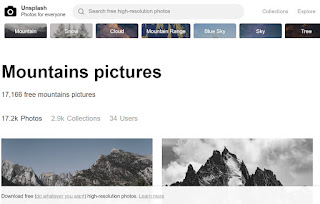
Unsplash - free photo gallery
Unsplash A wonderful collection of free photos. The photos below model good digital citizenship by giving attribution to the photographer....
-
WeVideo is a collaborative, online video editor that stores your working and finished files in the "cloud". By setting up a free...
-
Unsplash A wonderful collection of free photos. The photos below model good digital citizenship by giving attribution to the photographer....
-
Tagxedo - highly recommended! This program allows you to save the word cloud you have generated. There are a multitude of options inclu...