Friday, April 13, 2018

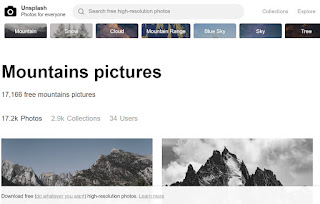
Unsplash - free photo gallery

Unsplash

A wonderful collection of free photos. The photos below model good digital citizenship by giving attribution to the photographer.


Canva - amazing presentations

Canva will allow your students to be very creative with their presentations of class material. The learning curve is not hard as they use the same skill sets as with Google Sheets, Microsoft PowerPoint, and online platforms like Piktochart.


There are many presentation templates, font styles, photos, the ability to add your own photos, icons, backgrounds and many more features. Students can sign up using their school Google account, presentations can be emailed to their teacher, and work can be done in collaborative teams.


OzoBlockly

OzoBlockly

Block coding for OzoBots.
While the Ozobots can be used with Grade 1's and older, it is recommended that OzoBlockly be used with Grade 2 and higher.  It is strongly suggested that students have completed at least some levels of Hour of Code activities before using OzoBlockly with OzoBots.

Sample Activity:

Have students construct their own maze out of items like Lego or straws or hand drawn on large sheets of paper.  Determine what codes have to be used to navigate their OzoBot successfully through the maze.

INTRO VIDEO

Monday, March 19, 2018

Book Creator - Unleash Your Creativity!

Image result for book creator

Book Creator is the number one app for engaging students, encouraging creativity, and giving them a voice! 

This application allows students to share their class research, videos, pictures, artwork, writing, and audio recordings in an innovative and easy to use way. Students of all ages will be able to easily use this app on a Chromebook, iPad and any other device that has a Chrome browser.

The app allows for collaboration and sharing, and publishing their work to show their classmates, teachers and family. They can even publish to iBooks if they wish!

From the cool comic book templates and stickers, to a multitude of fonts, students are only limited by their imaginations. They can make multiple books with unlimited pages in their quest to demonstrate their learning or show off their work. By adding video and audio, a multimedia book is the result that can be shared with people of all ages. There is also the capacity to add links for accessibility to open their book up to an audience that may be challenged in some capacity.

These keepsake books can be printed, shared, stored, saved and read online. Students as young as Kindergarten can be successful at making and publishing their own books in a professional manner. By adding their voice, they can explain their thoughts and read their own words.

Suggestions for student and teacher use:

  • any grade level of story writing - can add artwork, captured photos or creative commons photos, students can record themselves reading their work
  • student and teacher explanations of math problem solving
  • student and teacher explanations of science issues/problems
  • method to display science investigations and research
  • art work portfolio
  • phys ed skill development - tutorial videos, evidence of progress and mastery, skill drills
  • professional development videos and background information
  • collaborative stories and art


Here is an excellent example, created by a teacher from our school division.

Image result for book creator my pet monster
__________________________________________
ISTE Student Standards for Students - here are the standards that Book Creator can strongly address!

  • Empowered Learner
  • Digital Citizen
  • Innovative Designer
  • Creative Communicator
  • Global Collaborator
_________________________________________
What are my options for use?

1. Try it out using the free app on iOS. You can create one book and you'll be hooked!
2. Purchase the app on iOS and you'll get unlimited books with no restrictions. Awesome value for the price of a few coffees! Volume purchasing program price is valid with the purchase of 20 licences.
3. FREE - teachers and students can use Book Creator on Chrome! Easy for your students to use and publish online. Books can be collaborative. If you set up a free teacher account, you will get a bookshelf that can hold 40 student books. Students join using your unique class code (similar to other apps like Google Classroom). You will be able to provide timely feedback to your students you have access to all of these books.
4. PAID - for a fee of around $60 per year, you will have 6 bookshelves with 60 books each available to you and your students.


Tuesday, March 21, 2017

QR Stuff

QR Stuff

Excellent QR code creator.  
Paste URL or answers to questions in spot provided and generate a code in any colour you want.  Download the code to put on class documents.

Examples:
1.  Direct students/parents easily to a designated website or to a YouTube video showcasing student work.
2.  Construct an assignment where the answers or help for the questions are hidden as a QR code.


Typing/Keyboarding Programs

Typing.com

  • Grades 4 and older
  • Free
  • Class accounts available to monitor progress
  • Games and typing tests


Dance Mat Typing  (BBC Bitesize)

  • Grades 2 -4
  • Free, no sign in required
  • 4 levels with 3 stages each (progress not saved)


KidzType

  • Ages 9-15
  • Free
  • No sign in required, no class accounts (progress not saved)


Monday, March 21, 2016

Scratch


Scratch

This is an excellent website for building computer science coding skills for all ages. 


"With Scratch, you can program your own interactive stories, games, and animations — and share your creations with others in the online community.
Scratch helps young people learn to think creatively, reason systematically, and work collaboratively — essential skills for life in the 21st century." (https://scratch.mit.edu/about/)


Friday, February 12, 2016

Google: Voice Typing

Google Docs:  Voice Typing  (new feature, Fall 2015)


Commands: 

-period
-comma
-question mark
-exclamation mark
-new line
-new paragraph


There is also the ability to change the default language.

You can also use text to speech on your Android or iOS device - 
 
Read article

Tuesday, November 3, 2015

Google My Maps

There is an excellent tool added to your Google Drive this week - it is called Google My Maps. It is very similar to the regular Google Maps, but is now integrated into your Drive. It also cooperates nicely with Google Forms as well - you can collect map data and have it plotted for you. Any grade level can easily use this application.

In your Google Drive, press New, then scroll down the list until you see Google My Maps.  You can generate custom maps that outline the story line of a novel, or events that took place during World War II...etc.  All maps are saved in your Google Drive and can be shared with anyone.


You can integrate data collected in a Google Form (survey) to be seamlessly added to your map.  In the simple example below, the survey asked students to enter their favourite vacation spot.  The spreadsheet generated from the survey is imported into My Maps and placed automatically on the map.  There you can share the map with students and they can add photos to their place marker.  The end result is a tour of these places.


Here is a tutorial video outlining the process: 
Importing data into Google My Mapshttps://youtu.be/S3QIq5B0L-o


Thursday, October 22, 2015

Piktochart: A Great Visual Communication Tool!

Create exciting and interesting INFOGRAPHICS with Piktochart!


  • Free to join
  • Use your Google account to sign up


Create great infographics, reports and presentations to display photos, stats, information, YouTube clips, and graphs with this amazing online application.  Students will find it very user friendly and easy to share their work.  Built in graph maker.  Great for class projects in which data is displayed.  Has more features for reports and presentations than applications such as PowerPoint or Google Slides. Many templates and graphics included.

Infographics are easily shared via email.

Please watch this short video:  Video Introduction


Poll Everywhere in Google Slides


Poll Everywhere for Google Slides

This is an excellent add-on to Google Slides!  Set up a free Poll Everywhere account, make your assessments or polls and easily add them to your Google Slide presentation for live, on the fly results!

Your audience can sign in to your poll through a web link or through text messaging.

Available now in Google Labs (beta)


Wednesday, October 7, 2015

Google Sheets: Explore!

Video Introduction to Google Explore - found within Google Sheets

"With the Explore panel in Google Sheets, you can now spend less time trying to decipher your data, and more time making a point. Explore creates charts and insights automatically, so you can visualize trends and understand your data in seconds. It’s like having an expert analyst right by your side."

Once your data has been entered, click the button in the lower right hand corner of your screen to show the 'Explore' results.  Graph styles will be automatically chosen for your based on the type of data provided.


New Google Templates

Google has recently revamped its templates for products such as Google Docs, Sheets, and Slides.  The templates are now much easier to find and use.  Please share this with students as these can help them with their assignments and projects (as well as yours!).

Examples of Templates:

Docs:  brochure, resume, reports, letters, lesson plans
Sheets:  calendar, schedule, budget, to do list, planner, roster, time sheet, expense reports, purchase orders
Slides: book report, field trip, photo album, certificates, portfolio, lesson plans, recipe book

There are two ways to access these templates. 
Method 1: 
In any of the applications, once open:  >File, >New>from Template


Method #2:
Use the app button to access the application and these templates will be the first thing you see.  
Select Docs for example,


Students could then bookmark the app and use it instead of starting the document from within My Drive.


Wednesday, September 30, 2015

Google Classroom

Google Classroom is a tool in Google Apps for Education that helps teachers create and organize assignments quickly, provide feedback efficiently, and easily communicate with their classes.

Visit https://classroom.google.com/ to sign up as a teacher or student.  School must be a member of Google Apps for Education.

New features (Fall, 2015)

Reuse Posts (from archived classes)

Discussion (start threaded class discussions)

Calendar Integration (see article)  add to student or parent Google Calendars

Share to Classroom (push out websites live to entire class or as an Announcement that appears in the student stream).  All individuals at LPSD now have this extension added to their Chrome accounts.

Storage of Files (store by unit of study all files, URL's etc that students would need for review)
This is found in the About tab.

Google Classroom share extension 1.jpg


  • Remember that all members of LPSD have the Synergize training modules for all Google products built in to their Chrome accounts.  
  • Google Classroom Support


Tuesday, April 28, 2015

What Was There

http://www.whatwasthere.com/

This is a very interesting site full of archived photos from around the world.  Just search for a location, and select an archived photo you would like to view.  You can look at the photo information or select Google Street View to access a slide that will overlay the photo on top of the current Google Maps view.  You can fade in and out of the archived photo to see which buildings used to be in that spot.  Some cities do not have many photos as this app relies on people uploading their own photos into the website.
 You are also able to use a magnifying lens to zoom in on the photo itself.

What a great social studies project this would make for those grades studying local communities! Or what a great project for someone who has access to archived community photos.


New York City - present day Broadway

Reading about the sinking of the Titanic, 1912 at the Sun newspaper building


Friday, December 5, 2014

Kahoot! - Game Based Class Response System

Kahoot - Game Based Class Response System
This is not just a clicker!  Students can both respond and create.
Create, Manage and Share Students
Answer Questions Through a Powerful Management Tool

"Using our simple and speedy ‘drag n drop’ creation tool, create and manage ‘Kahoots’ in the form of quizzes, surveys or polls related to specific topics; either asking quick questions ‘on the go’ to get feedback or opinion, or more in depth questions for formative assessment. Content can be shared with educators, learners or colleagues globally."


"Launch Kahoots on the screen at the front of the room, and learners join through their personal devices. In real-time and with gaming elements to increase engagement and motivation, learners answer questions through their personal devices. Educators get an overview of the current knowledge levels of everyone in the room for formative assessment, and can adapt their teaching accordingly."

Mentimeter

Mentimeter

Online, cloud based polling.  Free sign up, easy to use.

"Mentimeter is a cloud-based tool that lets you engage and interact with your audience in real-time. You set the questions and your audience can give their input via a mobile phone or any other Internet connected device."


Thursday, February 13, 2014

Tiki Toki Online Timeline Generator

Tiki Toki


  • Free (one timeline only) Paid version allows for more.
  • User friendly
  • 3D or 2D timelines
  • Can add photos, videos or audio files
Samples:
Tower of London (3D) - click on each picture to reveal more information

Tuesday, November 12, 2013

TalkTyper - Online Text to Speech

TalkTyper
Speak into microphone (built in or attached) to have the program convert speech to text.  When sentence is done, click the arrow to move into a text box below.  From there you can email entire text or copy to clipboard to be used in another word processing program for example.


Unsplash - free photo gallery

Unsplash A wonderful collection of free photos. The photos below model good digital citizenship by giving attribution to the photographer....